From the blog
Foreign Trade Payments: Verify Proof When Status Is Stuck
Introduction: If you find a foreign trade item on fashion-reps and proceed to an external shopping agent for checkout, and the order status hasn't updated after...
Introduction: If you find a foreign trade item on fashion-reps and proceed to an external shopping agent for checkout, and the order status hasn't updated after payment, don't repeatedly click pay. You first need to confirm whether the payment actually went through, whether an order was generated, and whether the page simply hasn't refreshed. This article only addresses the issue of 'checkout status not updated after payment.' It does not apply if you haven't submitted payment, your account is restricted, your bank card itself declined the transaction, or the agent platform has clearly shown a refund. 🧾
This article can help you accomplish three things: save verifiable payment evidence, distinguish between payment processing and order not generated, and decide when to refresh or seek help, as well as when to pause operations to avoid duplicate charges.
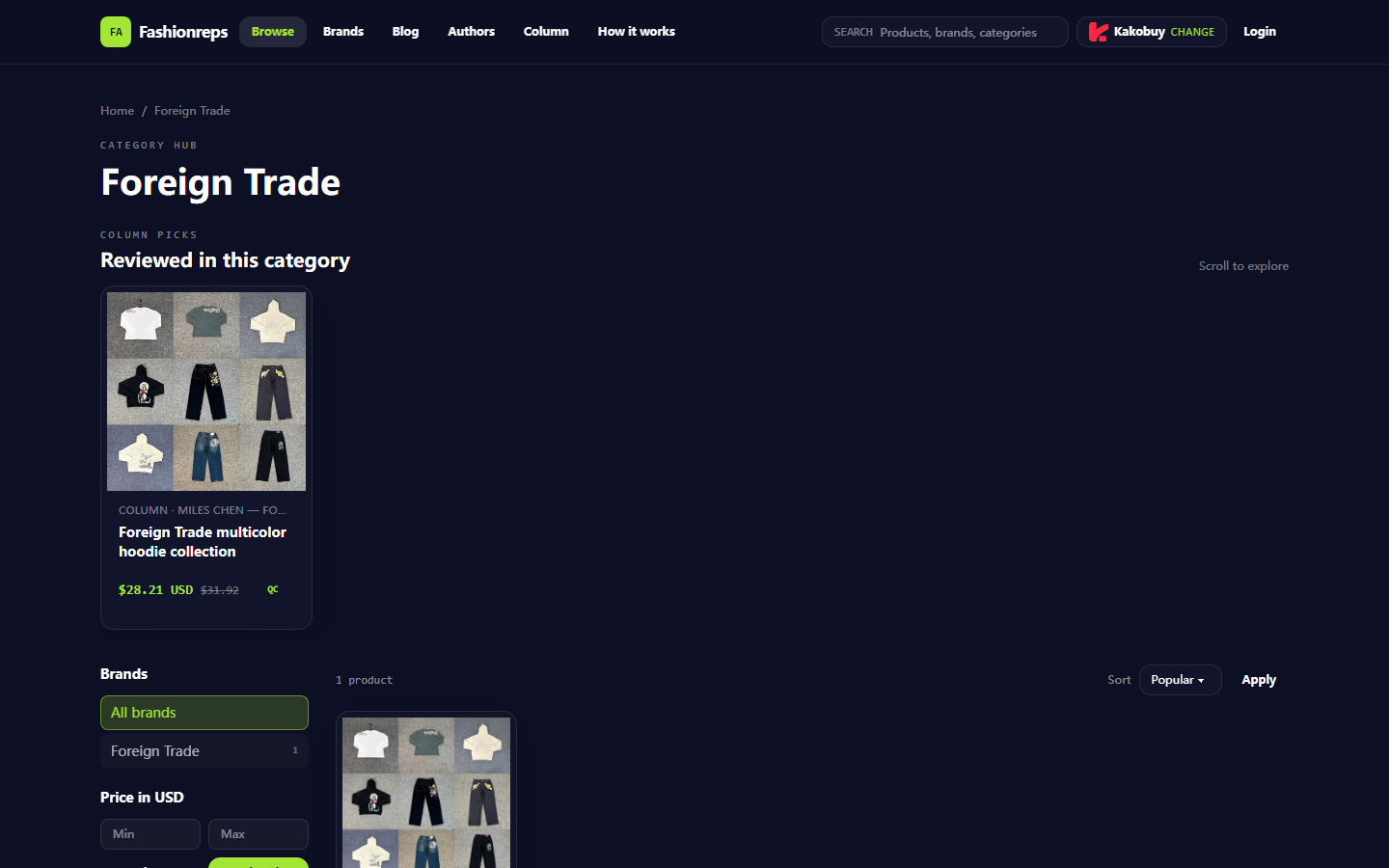
Image: The foreign trade product catalog and shopping agent selection interface on fashion-reps. This screen can prove the existence of product discovery and agent selection entry, but it cannot prove that a specific payment was successful or that an order was generated.
What This Article Will Help You Verify About foreign trade Checkout Status
fashion-reps' page states that product purchases will redirect to an external shopping agent chosen by the user, and orders, payments, and shipping are handled by the agent's website. The page sample shows a foreign trade multicolor hoodie collection with a reference price of 28.21 USD and an old reference price of 31.92 USD; these are catalog display information, not your personal order's final payable amount, and do not include possible agent service fees, domestic shipping, international shipping, taxes, or exchange rate differences.
Therefore, when the status hasn't updated after payment, the most important judgment is not 'whether the button turned green,' but whether the following three items are simultaneously true:
- Did the payment service return a success, authorized, or processing status?
- Did the agent platform generate an order number or payment record?
- Does the product, specifications, quantity, and amount in the order match this operation?
Verification date: October 23, 2026. Prices, inventory, agent availability, payment methods, and page status may change. Before redoing any operation, you should refer to the current page display. 🔍
First Record the Product Page, Cart, Payment Page, and Timestamps
First, stop continuous refreshing and repeated submissions, and save a minimal set of evidence. When taking screenshots, keep only the page information that helps with verification, and cover sensitive information such as name, address, phone number, complete order shipping label, bank card number, verification code, and payment account.
It is recommended to record in the following order:
- Product page or cart page: product name, color, size, quantity, and displayed price.
- Checkout page: payable amount, currency, shipping, discounts, service fees, or tax fields.
- Payment page: payment method, submission time, page return status, and error message.
- Agent account page: order list, balance changes, payment records, or pending records.
- The local time of each screenshot, and note the operation sequence in your notes.
Do not treat 'payment page closed,' 'browser bounced back to product page,' or 'a pending transaction appears in the bank' as order success. They can only indicate that the process has changed; they cannot alone prove that the agent platform has accepted the payment. 📌
Check Order Number, Product Specifications, and Payable Fields
Payment status verification should first look at the order or payment records in the agent platform's account. If an order number has already appeared, open the order details and check whether it contains this foreign trade item and the correct specifications. If there is only a payment reference number and no agent order number, also keep the correspondence between the two.
| Verification Item | Evidence that can confirm | What still needs to be checked |
|---|---|---|
| Payment status | Clear text like success, authorized, processing, failed, or refunded | Whether it corresponds to this order, not another transaction |
| Order number | An order record in the agent account that can be repeatedly opened | Whether product, specifications, quantity, and shipping information are correct |
| Amount | Amount and currency on the payment page or in the payment record | Whether it includes service fees, shipping, taxes, and exchange rate differences |
| Product information | Product name, color, size, quantity | Whether specifications were lost due to bounce or refresh |
| Time | Time of payment submission and status change | Whether it is still within the payment institution's processing cycle |
If the order page can be opened after re-logging in or from the account's order entry, the evidence strength is usually higher than a standalone popup or browser bounce page. If the page only shows 'processing,' do not rewrite it as 'success'; if it shows 'failed,' do not pay again solely based on a bank pending transaction.
Distinguish Payment Processing, Page Not Refreshed, and Order Not Generated
Payment processing: The payment institution or agent page clearly shows processing, pending confirmation, or similar status, and there is a payment reference number. At this time, you may need to wait for status synchronization, but the waiting time depends on the payment method and agent platform rules; you cannot infer a specific completion time on your own.
Page not refreshed: You can already find a successful record matching this operation in the account orders or payment records, but the current checkout page still shows the old status. In this case, you can exit the current checkout page and reopen it from the account's order entry to avoid submitting again on the old page.
Order not generated: The payment page was submitted, but no matching record can be found in account orders, payment records, and order numbers. At this point, you cannot judge that the order exists solely based on a charge notification. You should save payment evidence and verify separately through the payment institution and the agent platform's official channels.
A simple judgment order is:
- First check the order list in the agent account.
- Then check payment records or balance changes.
- Then verify the payment reference number and amount.
- Finally, go back to the original checkout page and refresh.
If there is no clear matching record in all three places, continuing to click pay will only increase the risk of duplicate charges. ⚠️
Idempotency Checks Before Refreshing, Retrying, or Paying Again
Before each refresh or retry, answer the following four questions:
- Is there already an agent order number?
- Is there already a success or authorized status?
- Has there already been a transaction with the same amount and a close time?
- Does the agent account clearly indicate payment failure and allow resubmission?
Only when the agent platform clearly shows failure, there is no successful order, no corresponding processing payment, and the page allows resubmission should you consider starting checkout again. When resubmitting, do not open multiple payment tabs at the same time, and do not operate the same payment in parallel on your phone and computer.
If the status is processing, success but not refreshed, or there are two suspected duplicate transactions, pause paying again. Do not 'test' whether the system has recovered by splitting payments, using different accounts, or clicking repeatedly. Doing so may make subsequent refunds, order matching, and customer service verification more difficult.
How to Save Payment Receipts and Seek Help Through Official Channels
When seeking help, only provide information necessary for verification. Do not send complete bank card information, payment passwords, verification codes, passports, complete shipping addresses, or complete shipping labels. You can prepare:
- Agent account username or publicly available account identification information.
- Product name, specifications, quantity, and settlement currency.
- Payment time, amount, and part of the payment reference number.
- Agent order number; if there is no order number, clearly write 'no visible order number generated.'
- The status text on the page and redacted screenshots.
- The results of your checks of order list, payment records, and payment institution records.
Prioritize using the official customer service, help center, or transaction dispute channel within the agent platform account. For charge status involving bank cards or third-party payments, check through that payment institution's official app or website. Do not handle refunds and supplementary payments based on private contact information from search results, social media direct messages, or payment addresses provided by strangers.
When describing the problem to customer service, use verifiable facts, for example: 'The payment page showed processing at a certain time, but no matching order has appeared in the agent account; the payment amount and reference number are as follows, with sensitive fields redacted.' Do not directly assert that the platform is faulty, because current evidence may only indicate that the status has not yet synchronized.
Conditions to Pause Operations When No Clear Success Status Exists
If any of the following occurs, pause paying again, changing specifications, or submitting a new order:
- The agent account already has an order with the same product, same amount, and similar time.
- The payment institution shows processing, but the agent platform has not clearly shown a failure result.
- The page shows success, but the order details cannot be opened or the product specifications do not match.
- The account balance has decreased, but there is no corresponding order or payment record.
- The page requires re-entering payment information, but the previous transaction has not yet received a clear result.
- You cannot confirm that the current page belongs to the official agent domain or that you are logged into the correct account.
- Customer service has not finished verification, and you are ready to pay again through another method.
If signs of duplicate charges have appeared, first save all timestamps and reference numbers, seek help separately from the payment institution and the agent platform, and ask them to confirm which transaction corresponds to the order. Do not cancel the only possibly valid payment on your own, and do not delete transaction emails or payment notifications.
Final Action: Complete the foreign trade Payment Status Verification Checklist
Before continuing with the purchase, confirm that all of the following items have been completed:
- Product name, color, size, and quantity have been recorded.
- Checkout page payable amount, currency, and fee fields have been recorded.
- Payment submission time and return status have been saved.
- Agent order list has been checked.
- Payment records or balance changes have been checked.
- Order number can be matched with product specifications.
- There are no two indistinguishable payments at the same time.
- All screenshots have redacted sensitive personal information.
- If the status is unclear, help has been sought through official channels and duplicate payments have been paused.
This verification process is suitable for buyers who want to reduce the risk of duplicate charges and order mismatches, especially those using external shopping agents to complete foreign trade item checkout. It is not suitable for evading payment risk controls, bypassing import restrictions, splitting orders to avoid taxes, or creating false payment evidence. Ultimately, the official status given by the agent platform, payment institution, and applicable rules of the destination country should prevail.
Continue reading