From the blog
Versace White Slides: How to Confirm Before Ordering
If you're looking at these Versace white slides, the first thing to confirm isn't whether the shoes "look right," but whether the images, specs, and QC evidence...
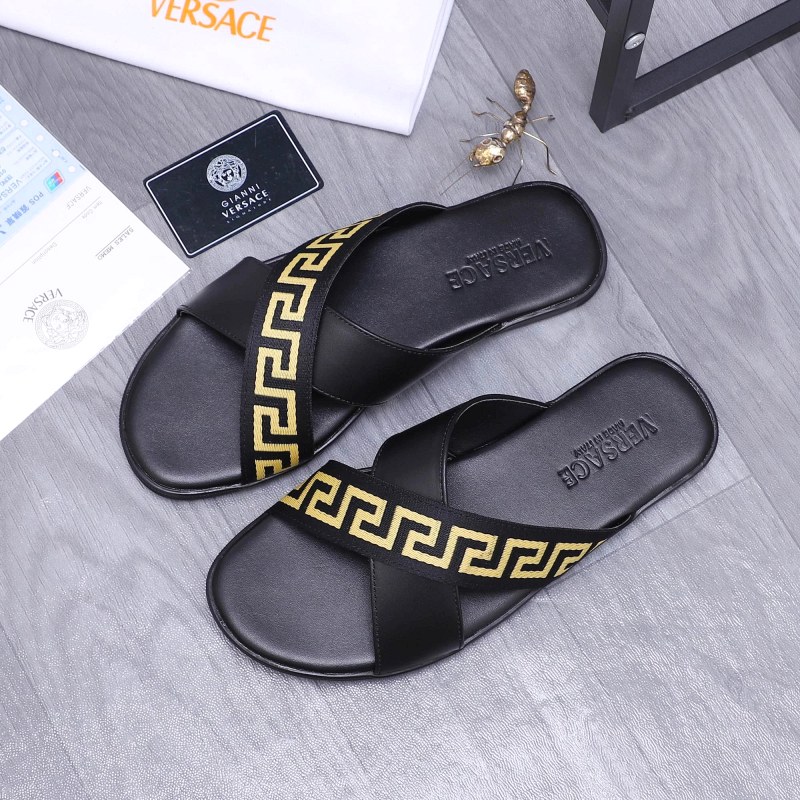
If you're looking at these Versace white slides, the first thing to confirm isn't whether the shoes "look right," but whether the images, specs, and QC evidence on the page point to the same product. The page currently shows white slides, with the title listing sizes 39–46, but the spec table lists 35–45—a discrepancy that can affect your purchase decision.
First, Confirm the Product Identity Shown on the Page
The page describes the product as white Versace slides, with a size range of 39–46 in the title and 35–45 in the specs. Since the two ranges don't match, you can't choose a size based on the title alone. Before ordering, ask the seller to clarify the actual size range for current stock and confirm that the images on the page correspond to the selected size option.
The page also shows a reference price of $21.64, but the final product price, service fees, and international shipping need to be confirmed with the shopping agent platform. Therefore, this number is only a page reference and cannot be used to infer final cost or current stock status.
Evaluate the Three Types of Images Separately
Packaging images, styling images, or display images on the product page are mainly for illustrating design direction and cannot directly prove the details of the shipped product. The page notes that some images may fail to load, and packaging and styling images are marked as illustrative.
Seller QC images are the ones suitable for checking the specific shipped version. Prioritize photos that show the actual product, not just model shots, packaging shots, or distant display shots. The QC image entry on the page is an important evidence for product verification, but the current page text doesn't provide enough detail to confirm the actual condition of the upper, sole, or insole.
Buyer reviews can help understand common feedback on similar Versace Medusa pool slides, but this feedback cannot automatically equate to the actual performance of this specific pair. The page mentions that some reviews find the sizing normal, while others find it tight; this is only a pre-purchase risk indicator.
| Information Type | What It Can Determine | What It Cannot Directly Determine |
|---|---|---|
| Product title and spec table | Color and size fields shown on the page | Whether the actual shipped size exactly matches both fields |
| Seller QC images | Visible details of the upper, sole, insole, and left/right shoe | Internal length, width, or hidden flaws not shown in photos |
| Packaging and styling images | General appearance and styling | Whether the shipped product exactly matches the illustration |
| Similar buyer reviews | Possible size and fit differences | Actual quality or fit of this specific pair |
Recommended Order for Checking QC Evidence
Step 1: Check the upper. Confirm that the white upper is even and that the Versace logo's position, size, and orientation are consistent on both shoes. If the photo is too far away or too dark, you cannot effectively judge these details.
Step 2: Check the sole. Inspect the sole's outline, tread pattern, and edges for completeness, and verify that both shoes are the same style. Sole photos should cover the forefoot, heel, and sides, not just a small central part.
Step 3: Check the insole and footbed. The page cites similar reviews mentioning slight arch and a certain amount of wrap, but there's no proof of this specific pair's footbed shape. Look for full insole shots, the connection between forefoot and heel, and the seam between upper and footbed.
Step 4: Check left/right consistency. Both shoes should be in the same frame for comparing color, logo, edge finishing, and size markings. A photo of only one shoe cannot adequately determine consistency of the pair.
Step 5: Confirm sizing information. Ask the seller for the actual inner length of the selected size and, if possible, the upper width or last width. The page shows conflicting size ranges in the title and spec table, so foot length alone is insufficient to rule out fit issues.
Additional Photos and Measurements to Request Before Ordering
You can directly request the following:
- A photo of both shoes in the selected size in one frame;
- Close-up photos of the upper from front, side, and heel;
- Full sole photos and close-ups of forefoot and heel tread;
- Top-down photos of the insole and footbed;
- Clear close-ups of logos, size markings, and seams;
- Actual inner length of the selected size;
- Upper width or last width;
- Whether the current size range follows the title's 39–46 or the spec table's 35–45.
If the seller can only provide packaging images, styling images, or distant photos with no discernible details, do not treat them as QC evidence for now. If the seller cannot explain the discrepancy in size ranges or cannot provide actual measurements for the selected size, it's not advisable to order based solely on page appearance.
You can start confirming the identity of these white slides from the color, product name, and visible size fields, but illustrations cannot replace QC photos of the actual shipped version. The safest evaluation order is: first check size fields, then view paired real photos and close-ups of each part, and finally assess fit using actual inner length and width.
Continue reading