From the blog
Verify Dior Coupon Exclusions & Final Amount on fashionreps
The Single Checkout Task Dior Accessory Buyers Need to Solve If you're about to browse Dior items on fashionreps and want to confirm whether a coupon applies be...
The Single Checkout Task Dior Accessory Buyers Need to Solve
If you're about to browse Dior items on fashionreps and want to confirm whether a coupon applies before entering the cart or an external shopping agent's checkout, the core task isn't finding a bigger-looking discount number. It's confirming four things: whether the item falls within the coupon's scope, whether the minimum amount is met, whether the coupon is still within its validity period, and whether the final amount actually changes.
This guide only covers verification methods before checkout. It doesn't provide coupon codes that haven't been confirmed by official sources, nor does it guarantee that any order will definitely save money. Orders, payment, warehousing, and logistics are handled by the external shopping agent you ultimately choose. 🧾
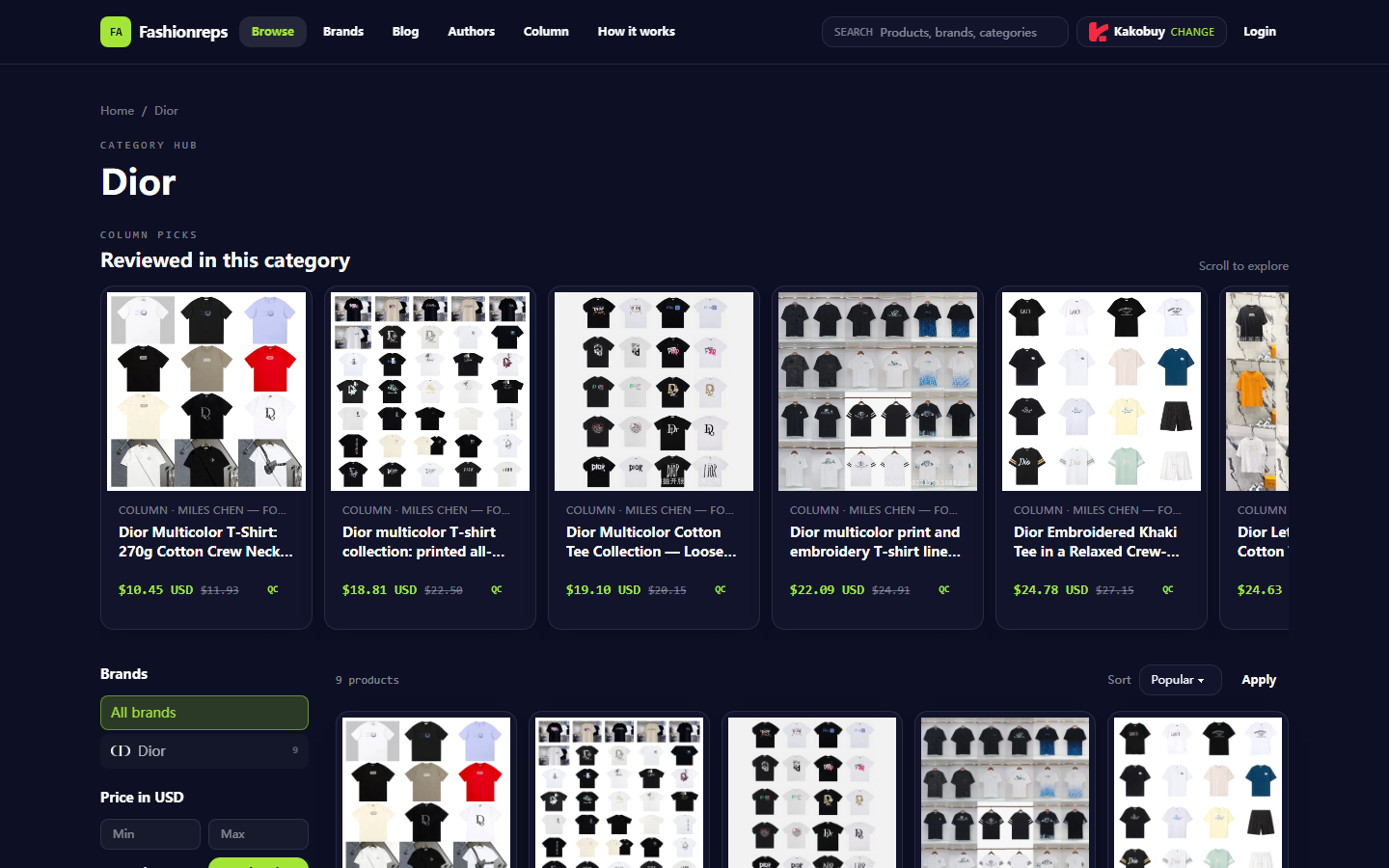
Image: A screenshot of the fashionreps Dior category page that can be verified this time. The page displays Dior T-shirt items and does not equate to currently valid Dior accessory coupon eligibility.
Build a Verification Path from Product Page to Coupon Page
First, record the product name, listed price, currency, item status, and price after adding to cart from the product page. Don't just save the discounted number from search results, because coupons typically show their applicable conditions only in the cart, agent platform, or payment page.
It's recommended to check in the following order:
- Confirm the product name and category on the fashionreps product page.
- Record the reference price displayed on the page and note the verification date.
- Enter the selected shopping agent through the page's purchase platform entrance.
- In the agent's cart, confirm that the product, quantity, size, color, and other options haven't changed.
- Open the coupon or promotion description to check applicable products, minimum amount, validity period, and usage limit.
- After applying the coupon, recheck items like product subtotal, discount amount, service fee, international shipping, and taxes.
- Save a screenshot or text record of the final amount and coupon description before submitting the order.
The fashionreps page states that each Buy button leads to the user's chosen shopping agent, and orders, payment, and shipping are handled by the agent's website. Therefore, the reference price on the fashionreps product page cannot be directly considered the final amount due. 🛒
How to Confirm Category, Brand, and Item Exclusions for Accessories
"Dior available" on a coupon doesn't necessarily mean all Dior items are available. Restrictions may be set by brand, category, item, seller, campaign page, or specific agent. Especially distinguish Dior accessories from Dior clothing: the page data verifiable this time shows the Dior T-shirt category and 9 items, which is insufficient to prove that Dior accessories can use the same coupon.
When verifying, check the following fields at the same time:
- Brand: Does it explicitly include Dior, rather than just saying "sitewide" or "selected brands"?
- Category: Does it include target categories like bags, shoes, jewelry, hats, accessories?
- Item scope: Does it exclude sale items, clearance items, pre-order items, or items from specific sellers?
- Price basis: Is the minimum amount calculated on the original price, promotional price, or discounted subtotal?
- Fee scope: Does the coupon only apply to the product amount, not service fees, international shipping, warehousing fees, or taxes?
- Agent restrictions: Is the coupon limited to a specific shopping agent account, region, payment method, or new users?
If the coupon description only says "some items apply" without listing specific exclusions, don't assume Dior accessories qualify. The most reliable approach is to add the target item to the cart, enter or select the coupon, and observe whether the system clearly shows it as applicable, invalid, or not meeting conditions. ✅
How to Record Minimum Amount, Usage Limit, and Validity Period
There are three common mistakes with minimum amounts: treating a single item's price as the order subtotal, treating the amount including shipping as the product amount, and combining amounts from multiple sites or multiple orders. Unless the coupon terms explicitly allow it, don't assume these amounts can be combined.
When recording, at least write down:
- Verification date and time, using the currency shown on the page.
- Product subtotal and its component items.
- Minimum amount threshold and calculation basis.
- Coupon validity start and end times, and note the time zone.
- Remaining usage count or limit per account.
- Whether new users, specific payment methods, or specific regions are required.
- Whether it can be stacked with product discounts, membership benefits, or other coupons.
The fashionreps page data provided this time does not include verifiable current official Dior coupon codes, thresholds, validity periods, or stacking terms. Therefore, you cannot derive the discount amount from the reference prices on the page, nor treat historical promotions or discounts in search results as currently available coupons.
How to Cross-Check Cart Coupon Display and Final Checkout Amount
When a coupon actually works, the cart or checkout page should typically show recognizable changes, such as the discount amount, a discount line, an applicable item notice, or a total change. If the page only shows "claimed" or "selected" but the total amount doesn't change, don't record it as saved money.
Use the simple table below for final verification:
| Check Item | What to Confirm | What to Do If Unconfirmed |
|---|---|---|
| Product subtotal | Are the Dior target items and quantities correct? | Return to cart to check item scope |
| Coupon status | Does it show applied, discount amount, and applicable items? | Don't treat claimed status as effective |
| Fee items | Are service fees, shipping, taxes charged separately? | Record separately, don't force into discount |
| Final amount due | Has the total actually decreased because of the coupon? | Use the amount before submitting the order |
| Evidence retention | Can page time, currency, and coupon description be reviewed? | Save screenshots or text records |
You can use this simple calculation to check amount changes:
Final amount due = product subtotal + service fee + warehousing or handling fee + international shipping + taxes − actual discount amount
If the page doesn't clearly break down fees, or the discount amount disappears after refreshing, changing quantity, or switching payment method, pause checkout and reconfirm. The smaller the discount, the more you should avoid buying unneeded items just to meet the threshold. 💰
Safe Verification Methods When No Official Current Coupon Information Is Available
When there's no confirmable official current coupon information, the safe approach is to treat the coupon as a pending variable rather than factoring it into your budget. You can first assess whether you're willing to buy at the amount without the coupon, then treat the coupon only as a possible cost-reduction add-on.
Recommended methods:
- Only use the coupon center, cart prompts, or checkout page descriptions shown in your shopping agent account.
- Check the coupon terms' update time, validity period, and applicable regions.
- Record the amount for the same item with and without the coupon separately.
- Reload the cart to confirm the coupon still exists.
- Change quantities or remove non-qualifying items to confirm the coupon rules aren't misread.
- Don't use so-called coupon claim pages that ask for passwords, full payment card information, or order privacy details.
- Don't create savings through under-declaring, splitting orders to avoid taxes, or evading inspections.
If the external shopping agent page is inaccessible, coupon terms are missing, or the checkout page doesn't show a clear amount change, the result can only be marked as "unconfirmed," not "saved money" or "coupon available." 🔍
What Can Only Be Considered Pending Information
The following can only be considered pending information when there's no current official page or checkout page evidence:
- Whether Dior accessories are participating in a promotion.
- Whether a coupon code is still valid.
- Whether the coupon applies to sale items or specific sellers.
- Whether it can be stacked with other discounts.
- Whether the minimum amount includes shipping, taxes, or service fees.
- Whether the coupon is limited to new users, specific regions, or specific payment methods.
- The specific end time of the coupon and its applicable time zone.
- Whether warehousing, handling, international shipping, or taxes will be incurred after checkout.
The page data verifiable this time can only confirm that fashionreps provides a Dior category browsing entrance, displays several Dior T-shirt items and reference prices, and states that purchases will be redirected to the user's chosen external shopping agent. It cannot prove that Dior accessories have a current coupon, nor can it prove any coupon code, discount percentage, or final shipping cost.
Final Action: Create a Dior Coupon Verification Checklist
Before submitting the order, complete the following checklist to make a more reliable checkout decision:
- [] The item is indeed the Dior accessory you plan to buy, not just judged by brand name.
- [] The product name, quantity, and options on the product page and in the cart are consistent.
- [] You've recorded the product subtotal, currency, and verification date.
- [] You've checked the coupon's applicable brands, categories, items, and exclusions.
- [] You've confirmed the calculation basis for the minimum amount.
- [] You've confirmed the usage limit, account restrictions, region, and payment conditions.
- [] You've confirmed the validity period and time zone.
- [] You've confirmed whether it can be stacked with other coupons.
- [] The cart clearly shows the discount amount, not just a claimed or selected status.
- [] The final amount due has been recalculated, with product, service, shipping, and taxes separated.
- [] You haven't bought unneeded items just to meet the threshold.
If the savings from a successful coupon are less than the added service fees, shipping, or extra product costs for meeting the threshold, using the coupon isn't necessarily more cost-effective. This verification method is suitable for buyers who want to control their budget before payment, verify item scope, and retain checkout evidence. It's not suitable for those who need instant confirmation of coupon codes, guaranteed discounts, or ways to evade platform and customs rules. The final amount should be based on the checkout page displayed by the external shopping agent before order submission.
Continue reading