From the blog
Polar Product & QC Photo Mismatch: Verify Style & Color
When Polar product detail pages and QC photos don't correspond, don't immediately treat the photos as physical evidence for that product, and don't continue to...
When Polar product detail pages and QC photos don't correspond, don't immediately treat the photos as physical evidence for that product, and don't continue to pay based solely on similar colors or the same category. The correct approach is to first confirm the product identity, then access the QC photos from the correct product page, and finally determine whether you need to request additional photos or pause operations.
First, record the product identity
Before starting the comparison, record the fields that can be confirmed on the current page:
- Product name
- Style or fit
- Color
- Size or dimensions
- Product number
- Product page URL
- QC photo entry URL
- Price or reference price displayed on the page
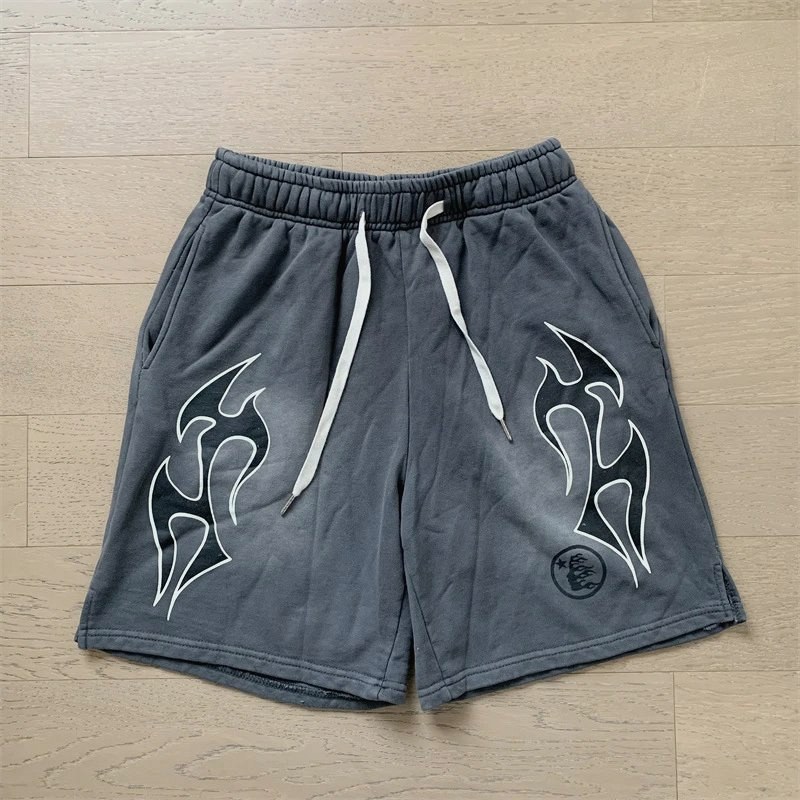
Currently, the verifiable Polar category page displays a "Polar Gray Denim Shorts" item, described as cotton denim, straight leg, and slight stretch, with a reference price of $12.84, and a previous reference price of $15.14. These fields only help confirm the product entry on the page, not prove that a set of QC photos belongs to that product.
Possible reasons for mismatch
The first possibility is entering the wrong product entrance. Category pages, search result pages, or previously opened pages may correspond to different products, different styles, or even just a collection of similar items. If product names are similar, prioritize the product number and complete detail page, not just keywords like "Polar" or "Denim Shorts".
The second possibility is inconsistent variant fields. The same product may have different color, size, or dimension options. If the page records gray but the color in the photos is clearly different, or the recorded size does not match the measurement subject in the QC photos, it cannot be directly considered the same variant.
The third possibility is that the photo entry is disconnected from the product page. QC photos may come from another page, old records, or manually forwarded links. If you cannot confirm that the entry was accessed from the current product detail page, mark the photos as pending verification rather than confirmed evidence.
The fourth possibility is that the photos themselves do not provide enough information. Lighting, flattening method, and shooting angle can affect color and silhouette judgment. Photos can help verify visible structure and appearance clues, but cannot determine authenticity, fabric durability, or long-term wear performance based solely on them.
Re-establish correspondence in order
1. Start again from the product detail page
Close or temporarily set aside the old QC photo page, and reopen the recorded product detail page. Confirm that the product name, style, color, size or dimensions, and product number are still consistent.
If you can only return to the category page, first find the product entry that exactly matches the record, then enter the detail page. Do not substitute a similar-named entry for the original product, and do not assume it's the same page just because the price is the same.
2. Access QC photos from the current detail page
After confirming the product identity, reopen the QC photo entry from that detail page, and save the new entry URL or take a screenshot. Record the new entry separately from the previous photo page to avoid mixing them up again.
If the page does not clearly show the product number, at least keep visible information such as product name, variant fields, and entry path. The shorter the evidence chain, the easier it is to verify when explaining the issue to official support later.
3. Compare visible clues item by item
It is recommended to use the following order:
- Color: First compare the overall tone, then look at easily distinguishable local colors; if lighting significantly affects perception, do not directly judge similar colors as identical.
- Style: Check leg shape, waist structure, pocket placement, stitching, and other appearance features clearly shown on the page.
- Size or dimensions: Confirm whether the photos show measurement subjects related to the selected size or dimensions; if there is no measurement chart, do not infer actual dimensions.
- Product identity: Check whether the photo page can be linked to the product name, number, or detail page entry.
- Photo completeness: Confirm whether necessary angles such as front, back, details, or tags are missing.
You can categorize the results into three types: clearly consistent, differences exist, insufficient evidence. Only clearly consistent fields should be recorded as verified; fields with differences should be put on hold; insufficient evidence should lead to specific requests for additional photos.
When additional photos are needed
Requests for additional photos should target a gap that can change the judgment, rather than a generic "take more photos". For example:
- If color cannot be confirmed, request overall photos under more stable lighting, plus close-up detail photos.
- If style cannot be confirmed, request photos of the front, back, and key structural positions.
- If size or dimensions cannot be confirmed, request photos of the corresponding measurement areas, and specify the start and end points to be shown.
- If product identity cannot be confirmed, request a page screenshot that can link to the product name, number, or current detail page.
- If QC photos are suspected to be from another item, request to re-enter from the current product detail page and generate corresponding photos.
Before requesting additional photos, clearly state "what to verify" and "which photo can answer this question". If the additional photos still cannot establish correspondence between the product page, variant, and photos, do not continue to treat the photos as confirmation for that product.
What conclusions cannot be supported by this evidence
The product page's name, style, color, and price fields can be used to confirm the page entry; QC photos can be used to verify visible appearance and some structural clues. But neither alone is sufficient to prove product authenticity, fabric durability, actual wearing experience, or future inventory.
The category page currently shows a reference price of $12.84 and lists a previous reference price of $15.14. Reference price is not the final payment amount, and cannot be used to infer shipping, inventory, taxes, or other fees. Only when the corresponding page clearly provides such information can they be recorded separately; otherwise, keep them as unknown.
How to explain to official support when there is a mismatch
If re-entering still does not resolve the mismatch, pause payment or other irreversible actions, and submit a complete, verifiable explanation to the platform's official support:
- Product detail page URL.
- Product name, style, color, size or dimensions.
- Product number or visible identity fields on the page.
- Current QC photo entry and key screenshots.
- Which fields are consistent, and which are inconsistent.
- Questions that need official confirmation, such as whether the photos belong to this product and variant.
- Specific photo requests, such as which side, structure, or measurement information to photograph.
Do not just send "photos don't match" without context, and do not mix screenshots of multiple different products in one request. Handle one product identity issue at a time to reduce the risk of support staff mismatching photos or misunderstanding variants.
Situations where you should stop operations
If any of the following occurs, it is recommended to stop payment, confirming receipt, or further additional actions:
- Product number or detail page cannot be confirmed.
- QC photos can only be opened via an independent old entry, and cannot be re-entered from the current product page.
- Obvious differences in color, style, or size, with no official explanation.
- Photos lack decisive angles, and requests for additional photos have not received a clear response.
- Official support cannot confirm the correspondence between photos and product variant.
- You can only infer that photos belong to the product based on similar names, similar colors, or price.
The core of re-establishing correspondence is not to make the photos "look similar", but to ensure that the product page, variant fields, product number, and QC entry all point to the same object. Before this evidence chain is closed, recording the issue as unconfirmed is more prudent than using uncertain photos as a basis for purchase.
Continue reading