From the blog
How to Fix Incomplete Color or Size Options on Corteiz
When a Corteiz product page opens but doesn't show complete color or size options, don't judge whether you can place an order just by the page title, product im...
When a Corteiz product page opens but doesn't show complete color or size options, don't judge whether you can place an order just by the page title, product images, or reference price. The core issue is to confirm: whether the missing information comes from the product itself, the current entry point, the page loading state, or the site temporarily not displaying complete fields. After completing verification, you should be able to decide whether to wait for the information to be supplemented, switch to another candidate product, or stop the operation. If you have already completed payment, encountered after-sales issues, or need to determine destination country taxes and customs requirements, this article does not apply; you should turn to the corresponding order or logistics processing flow.
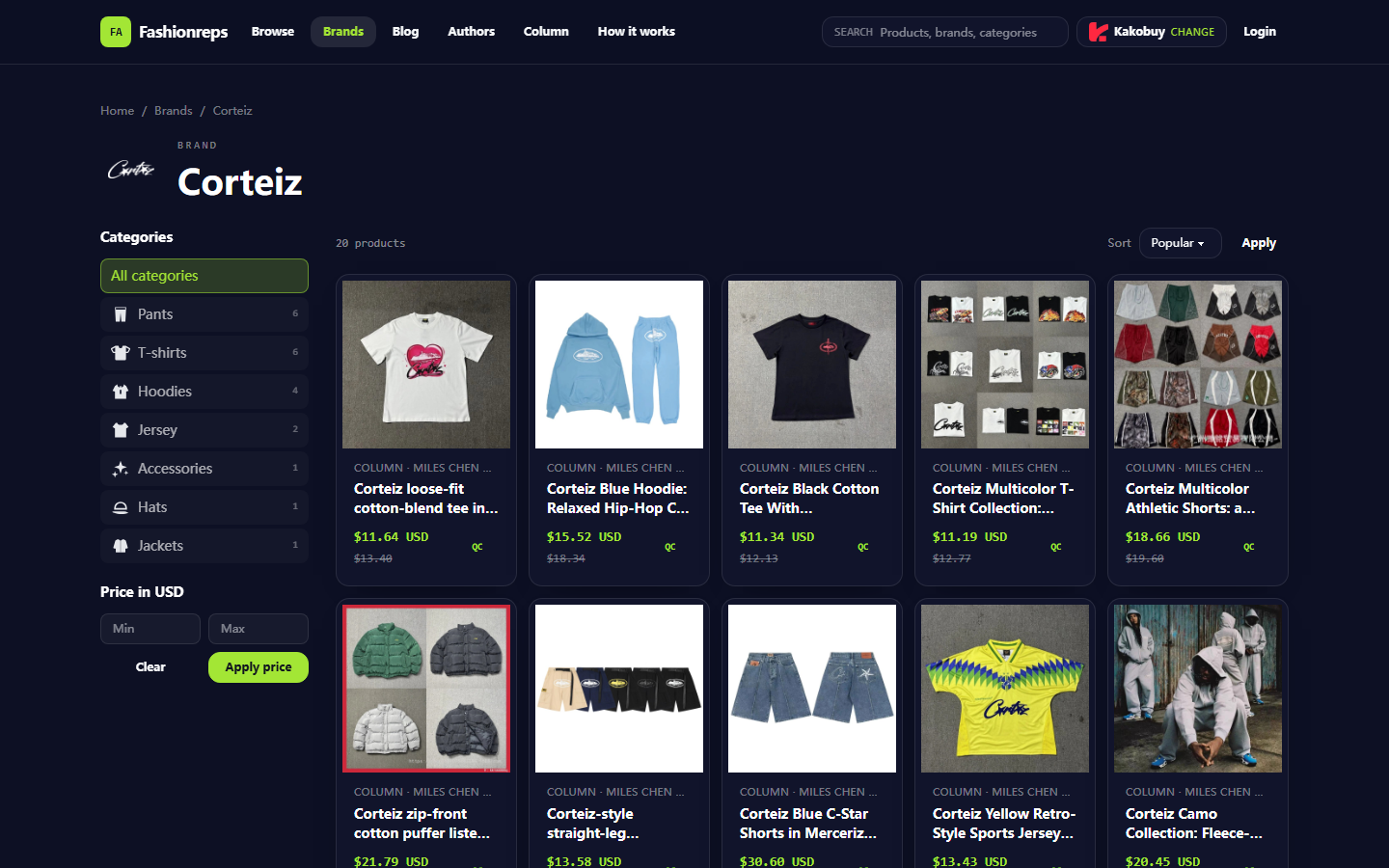
Verification date: October 13, 2026. This article is compiled based on the visible information on the Fashionreps Corteiz brand directory page. The page displays Corteiz categories, product cards, reference prices, and shopping platform selection entry points; Fashionreps is responsible for product discovery and information organization, while orders, payment, and shipping are handled by the external shopping agent website you ultimately choose. Page status may change, and prices, inventory, colors, and sizes still need to be re-confirmed on the actual product page and agent platform. 🧭
First, record the missing color or size information on the Corteiz product page
Don't refresh repeatedly or submit an order immediately. After opening the product page, record the following information:
- Product title and product category displayed on the page
- Currently visible color options and size options
- Whether the option area is empty, disabled, or only partially displayed
- Whether product images change with color selection
- Reference price, seller information, or product number displayed on the page
- Access time, device used, browser, and entry page
When taking screenshots, retain the product title, option area, and identifiable information near the address bar, but cover account names, order numbers, shipping addresses, phone numbers, and payment information. Do not send complete personal data to others.
If the page only shows prompts like "Available colors" or "Available sizes" without actual options, this is a state to be verified; it does not mean the product is out of stock, nor does it necessarily mean the site is malfunctioning.
Check the Fashionreps page title, images, and available variants
First, return to Fashionreps' Corteiz brand directory and verify whether the candidate product corresponds to the currently open product page. Focus on checking three sets of information:
- Whether the title describes the same type of product, such as a short-sleeved shirt, hoodie, shorts, or jersey, rather than another product of the same brand.
- Whether the directory thumbnail, product detail image, and current product page image have consistent main patterns, colors, or fit clues.
- Whether the size range or number of colors displayed in the directory is only editorial information, rather than the complete variant list currently available for order on the external agent page.
Do not directly treat descriptions like "S–XXL" or "multiple colors" in the directory titles as actual available inventory. They can be used as cross-check clues, but the final determination should be based on the options clearly listed on the current product detail page. If the title, images, and options cannot be matched, pause the purchase.
Also note that brand directories may include similar styles, different materials, or products from different sellers. Similar prints, color names, or reference prices are not sufficient to prove they are the same product. 👕
Check whether different entry points display the same fields
Without submitting an order, use two entry points for comparison:
- Enter the product page from the Fashionreps Corteiz brand directory
- Reopen the same page from a saved product detail entry point
If the page provides shopping agent selection entry points, record the currently selected agent name, then observe whether the product page jumps to different external product addresses. Different agents may display different inventory fields, color names, size formats, or purchase status, so you cannot judge based on just one redirect result.
When comparing, only compare whether fields exist and whether the content is consistent; do not select random sizes, add to cart, or submit payment for testing purposes. It is recommended to save two screenshots: one of the Fashionreps directory or detail page, and one of the external agent product page. Screenshot file names can include the date, product abbreviation, and entry point name for later review.
If both entry points lack the same color or size information, the problem is more likely that the current product information is incomplete or the external product page does not provide these fields; if only one entry point lacks them, prioritize suspecting redirect parameters, agent mapping, or page loading differences.
Distinguish between missing page information and temporary loading abnormalities
You can perform a controlled loading check, but do not refresh endlessly:
- After confirming the network connection is normal, reopen the page once.
- Wait for product images, option controls, and price area to fully load.
- Check whether the page shows loading prompts, script errors, blank dropdown boxes, or unclickable controls.
- Open another product page with the same device and browser to determine if only this product lacks fields.
- If conditions allow, use a private window for a read-only comparison, without logging in or entering payment information.
If other products' options are normal, while this Corteiz product consistently lacks colors or sizes, you cannot assert that the entire Fashionreps platform is malfunctioning; a more prudent judgment is: the current visible information for this product is insufficient, or the external product page does not provide complete variant information.
If the page shows complete options in one load, but they disappear in another, record it as an unstable state. Do not select colors or sizes that appeared briefly but cannot be re-confirmed. ⚠️
Create a reviewable issue record with screenshots and page information
The issue record should include at least:
- Full text of the product title
- Fashionreps entry point name and access time
- External shopping agent name, if shown on the page
- Whether the missing items are colors, sizes, or both
- The options that are displayed and those that are missing
- Whether the page can load images, prices, and other product fields
- Whether results are consistent after reopening
- Screenshot file names and privacy masking situation
When describing the issue, use verifiable sentences, such as "The page displays the product title and images, but the size dropdown has no selectable values," rather than "This product is definitely out of stock" or "The site is definitely broken." The former helps support staff reproduce the issue, while the latter contains unverified conclusions.
If option names have differences in capitalization, hyphens, or size format, record them as they are. For example, "S/M" and "Small/Medium" should not be merged in your records. This avoids misinterpreting format differences as missing information and helps with later verification of product pages. 📝
When to consult site support and what evidence to provide
When the product page persistently lacks necessary options, the two entry points show inconsistencies, or you cannot confirm whether the product supports the target color and size, you can consult the support channel of the corresponding page or shopping agent. Provide privacy-processed evidence:
- Product title and accessible entry point of the product page
- Access time and time zone
- Screenshot of the missing fields
- Screenshot when entering from the Fashionreps directory
- Entry points tried and browser environment
- The specific question you need to verify, such as "Is there a black size L available, and when will the page be updated with options?"
Do not send complete orders, passports, payment cards, shipping addresses, or complete waybills. Do not provide account passwords or verification codes to let support staff "directly help you choose." The agent selection on the Fashionreps page is just an entry point to the external purchase process; payment and order status should be checked on the actual agent website.
If the support reply only says "in stock" or "can be purchased" without specifying the color, size, and correspondence to the product page, it is still insufficient to support placing an order. Ask them to clearly indicate the available variants, or wait for the page fields to be restored before re-verifying.
Purchase judgments that cannot be made without complete variant information
When color or size information is incomplete, you should not make the following judgments:
- Do not guess the actually purchasable colors based on product images.
- Do not treat the size range shown in the directory as current inventory.
- Do not select a default size and then ask the seller in the notes to change to another size.
- Do not treat the reference price as including shipping, taxes, or the final order amount.
- Do not assume the product can be paid for or shipped just because an entry point opens.
- Do not submit an order with unconfirmed options, to avoid receiving the wrong color or wrong size.
If you must choose among multiple candidates, proceed to the next step only when the color, size, product images, and external page fields correspond to each other. If any of these cannot be confirmed, mark the candidate as "to be verified" rather than "purchasable."
Final actions: wait for supplement, switch candidates, or stop operation
You can decide the next step in the following order:
- The page is just loading, and options recover after reopening: re-verify the complete fields, then decide whether to continue.
- Page information is still incomplete, but the support channel can clearly confirm specific variants: save the reply and screenshot, and confirm the actual options on the external agent page before proceeding.
- The current product lacks colors or sizes, and other similar candidates have complete fields: prioritize switching candidates and re-verify the product title, images, and size chart.
- Different entry points show inconsistencies over a long period, or support cannot confirm specific variants: stop placing the order and wait for information to be supplemented.
- The page asks you to bypass normal options, guess variants in the notes, or pay before confirmation: stop and do not submit the order.
The most cost-effective option is not necessarily the one with the lowest reference price. Waiting for supplementation may avoid buying the wrong color or size, thereby reducing returns, repurchases, and additional shipping costs; the trade-off is possibly missing inventory or price changes. Switching candidates may increase comparison time, but can reduce the risk of incorrect orders caused by incomplete information. For those who cannot afford the costs of wrong sizes, returns, or inventory uncertainty, it is not recommended to purchase when fields are missing.
The final standard is simple: only proceed when the product identity, color, size, and actual purchase entry point can all be verified with screenshots and page fields. Otherwise, keep the issue record, wait for supplementation, choose a candidate with more complete information, or stop this purchase. ✅
Continue reading