From the blog
Fixing Casablanca Jersey Cart Spec Mismatch
What This Troubleshooting Guide Covers If the Casablanca style, color, size, or quantity displayed on a fashionreps product page doesn't match what's in your ca...
What This Troubleshooting Guide Covers
If the Casablanca style, color, size, or quantity displayed on a fashionreps product page doesn't match what's in your cart, don't pay yet—and don't click "add to cart" repeatedly. This article addresses only one issue: differences between product specs as shown on the page and what appears in your cart.
After reading, you should be able to do three things: save comparable page evidence, determine whether the discrepancy comes from unsaved selections, a page display glitch, or a cart synchronization issue, and decide whether to correct the item, pause, or submit evidence through official channels.
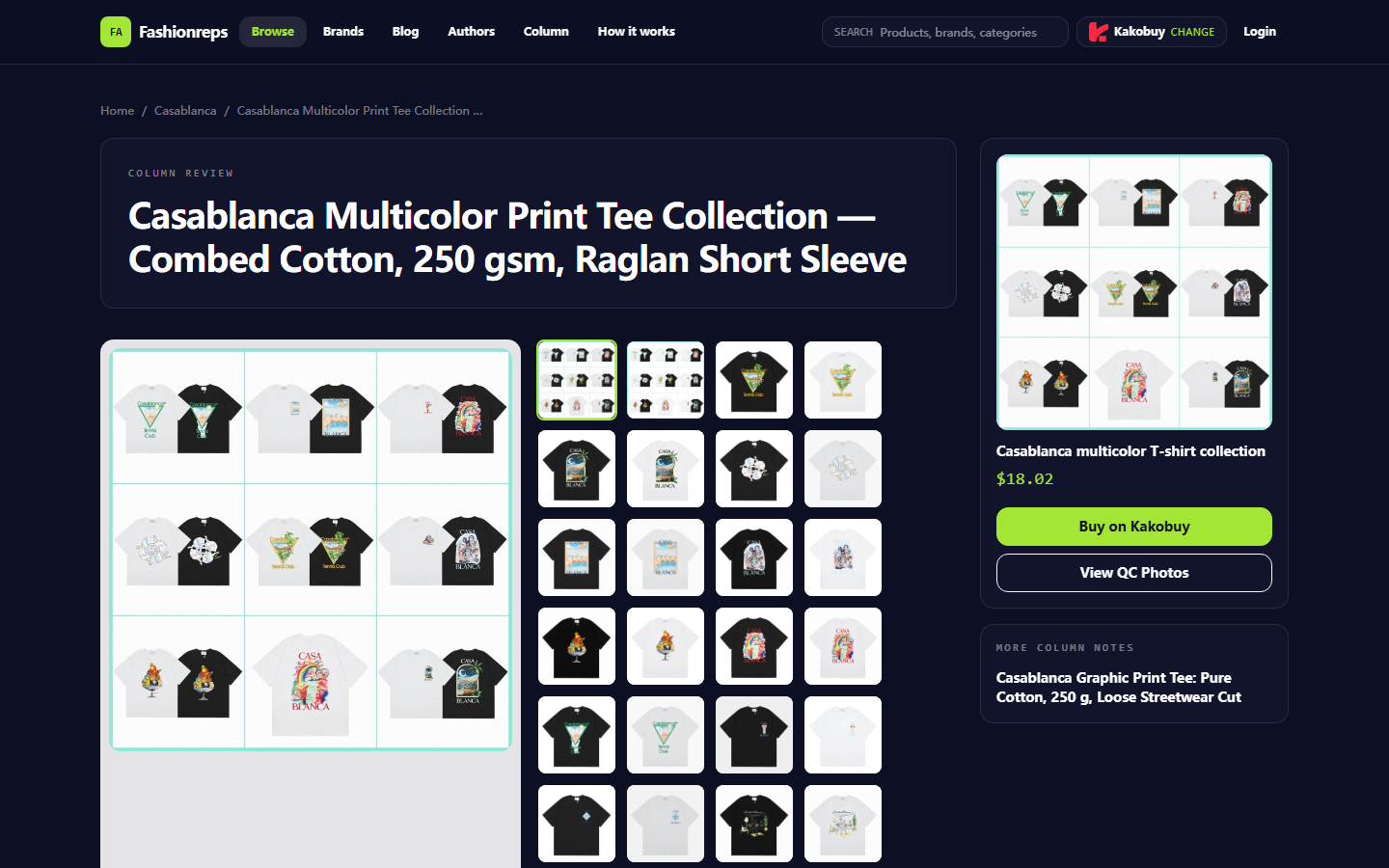
This article does not apply if payment is already completed, the order has entered the warehouse, or you need to assess authenticity, physical quality, or return/exchange liability. Current product records show that this Casablanca listing offers S–XL, multiple colors and style numbers, and notes a 1–3 cm measurement tolerance; this information alone doesn't prove a cart platform malfunction. 📌
The example product page record shows that style selection, size info, and purchase entry need to be verified item by item before adding to cart. Page data verification date: September 26, 2026.
First Save Evidence from the casablanca Jersey Product Page, Cart, and Order Draft
Before refreshing the page, going back, deleting items, or re-adding, save the following:
- Product name or page title
- Product page URL and time opened
- Selected style number
- Color name or color code
- Size
- Quantity
- Displayed unit price on page
- Complete info of the corresponding cart entry
- Whether multiple identical or similar Casablanca entries appear
- Whether an order draft has been generated, and its spec contents
Take consecutive screenshots, at least covering the option area on the product page and the cart entry area. Do not expose order numbers, shipping addresses, phone numbers, payment info, or full shipping labels in screenshots.
If the page allows copying text, also record specs in a spreadsheet. The spreadsheet's purpose is to compare colors, sizes, quantities, and style numbers item by item, reducing errors from relying only on thumbnails or abbreviations; it's not a replacement for platform order records. 🧾
Compare Color, Size, Quantity, and Style Options to Locate the Discrepancy
Check in the following order, avoiding jumping to conclusions about price or system failure:
| Check Item | What to Record from Product Page | What to Confirm in Cart |
|---|---|---|
| Style | Specific style number, pattern, or variant name | Whether the entry title or variant summary matches |
| Color | Selected color name or code on page | Whether the cart shows the same color |
| Size | Clear size like S, M, L, XL | Whether the cart keeps the same size |
| Quantity | Quantity selected before adding to cart | Whether cart quantity has been merged or changed |
| Price | Product price displayed on page at that time | Product price in cart, separately noting service fees and international shipping |
Casablanca items may offer multiple colors and style numbers simultaneously. Don't judge only by product thumbnails, because similar patterns or the same series name may correspond to different variants. If the page shows only a general name and the cart doesn't clearly display the variant number, mark that entry as "specs cannot be confirmed" and don't pay directly.
Size also shouldn't be judged solely by the brand's retail page or your usual size. Current product records describe this piece as a relaxed fit, recommending flat measurements of chest width and length compared to existing clothing; records also note a 1–3 cm measurement tolerance. Therefore, size discrepancy and cart spec discrepancy are two different issues—don't mix them up. 📏
Distinguish Between Page Display Issues, Unsaved Selections, and Cart Sync Anomalies
Use three simple checks to identify the cause.
First is unsaved selection. After reopening the product page, the previous color, size, or style is not clearly selected, or the page still shows defaults. In this case, the cart may accurately reflect the default, not what you thought you chose. Re-select, then wait for the selected state to appear before proceeding.
Second is page display issue. The product page currently shows conflicting title, image, or option summary, but the cart entry's variant information is complete and consistent. Don't judge by image alone; rely on text fields that clearly identify style, color, and size, and save screenshots of both.
Third is cart sync anomaly. The product page clearly shows one set of specs, but after adding to cart, the cart still shows another set, and the difference persists after reopening the cart or logging back in. Only when page options are saved, the cart entry is visible, and the difference is reproducible should you submit evidence of a "possible sync anomaly" to official support. Don't assert a platform failure outright.
Also check if you've mixed old and new entries from the same series. Compare each entry's style number, color, size, and time added before deciding to delete. Don't merge or delete based solely on the same product name.
What to Record Before Refreshing or Re-entering to Avoid Duplicate Submissions
Complete these records before refreshing:
- Screenshot current options on the product page.
- Screenshot the corresponding cart entry.
- Note current quantity and displayed page price.
- Note whether an order draft or pending payment record exists.
- Mark whether duplicate entries exist in the cart.
- Save the time you last confirmed specs.
After recording, refresh only once and re-check the same cart entry. Don't repeatedly click add to cart, refresh, and go back during slow network responses. If the page shows loading, wait for a stable state before checking entry quantity.
If the difference disappears after refresh, keep evidence from before and after, and re-verify specs. Disappearance doesn't mean you can skip pre-payment confirmation, because the cart may still have saved the wrong variant.
If two entries appear after refresh, pause and don't delete one immediately. Compare specs and times added; if you can't tell which is correct, keep both in screenshots and await official support confirmation. ⚠️
How to Submit Evidence Through Official Channels When Info Still Mismatches
Use the official support entry provided on the fashionreps page or in your account to submit concise, verifiable information. Include:
- Product page title
- Style, color, size, and quantity shown on page
- What the cart actually shows
- Time the discrepancy first appeared
- Whether it persists after refresh, re-login, or reopening
- Whether an order draft or payment page has been generated
- Screenshot numbers and which page each corresponds to
Don't submit full payment card info, account passwords, verification codes, passport info, or unmasked shipping addresses. If support needs order identification, provide only the minimum fields required by the platform, preferably using a partially masked order number.
If the cart doesn't clearly show the style number, directly ask support which field to use to confirm the variant. Don't use external product reviews, comments on other Casablanca items, or brand retail size guides as evidence of cart specs. Current records clearly distinguish this item's catalog info from other Casablanca replica T-shirt reviews; they cannot prove each other. 🛑
When to Pause Payment or Avoid Re-adding Items
Pause payment if any of the following occur:
- Cart specs differ from page selection, and you can't confirm which is final.
- Style, color, or size shows only a thumbnail with no verifiable text info.
- Duplicate entries appear in the cart, but you can't tell if an order draft has been generated.
- The page is loading, error messages persist, or quantity changes on its own after refresh.
- Specs in the order draft differ from the cart.
- The support entry asks for unnecessary passwords, verification codes, or full payment info.
- You've clicked pay, but the platform doesn't clearly return success, failure, or pending status.
Don't add multiple colors, sizes, or styles to the cart to "cover all possibilities." This increases the risk of duplicate orders and later verification, and doesn't fix sync issues. If payment was submitted and status is unclear, first check order status and account records before contacting support; don't pay again.
Final Action: Confirm Specs, Remove Wrong Entry, or Wait for Support
If the page and cart show identical specs and there are no duplicates, do one final check before paying: style, color, size, quantity, and amount all match, then proceed to payment.
If you confirm an entry is wrong and there's no order draft, payment record, or pending status, delete the wrong entry and re-select. Save a screenshot before deleting, and compare again after re-adding; don't treat deletion as proof of resolution.
If the difference persists, or the order draft doesn't match the cart, stop re-adding, keep evidence, and wait for official support. For unconfirmable specs, waiting for support confirmation is usually less risky than paying first and requesting changes later.
Using the "record first, refresh, then verify, ask for help if needed" method saves mainly duplicate orders, wrong sizes, and later refund communication costs; it costs time for screenshots, item-by-item verification, and waiting for support. It suits cases with many spec options, incomplete cart summaries, or uncertain order status. It doesn't suit cases where payment is complete and orders have entered the warehouse—then switch to order, warehouse, or after-sales processes using corresponding official records.
Article Image
Agent Platform Shopping FAQ
1. Why is using a spreadsheet necessary on fashion-reps?
On fashion-reps, product listings are not usually shown directly through agent platforms, so a spreadsheet helps you locate desired items and obtain their purchase links. If you prefer, you can ask for suggestions on Reddit or Discord; the items recommended there are often of high quality, but the process of buying them can be quite time-consuming. Such spreadsheets are generally built up over many months by collecting information from those communities.
Continue reading