From the blog
Dita Glasses: Fix Color and QC Mismatch
When purchasing Dita-style glasses, if the frame color or lens fields shown on the product page don't match what appears in your cart, order, or warehouse QC ph...
When purchasing Dita-style glasses, if the frame color or lens fields shown on the product page don't match what appears in your cart, order, or warehouse QC photos, don't continue with payment or shipping based on photo similarity alone. First save records from each stage, then confirm whether they all point to the same product variant.
First Identify Which Type of Mismatch
Common problems aren't necessarily color errors; they may appear in different places:
- The product page defaults to showing a black frame, but the variant you actually selected wasn't saved.
- Frame color and lens color are split into two fields, but the order displays only one of them.
- The product page image shows a certain lens or lighting effect, while the text field corresponds to a different variant.
- The QC photo shows glasses that can't be matched to the order via product number, frame details, or lens color.
- The size or model on the product page is inconsistent, so color and style can't be determined by model alone.
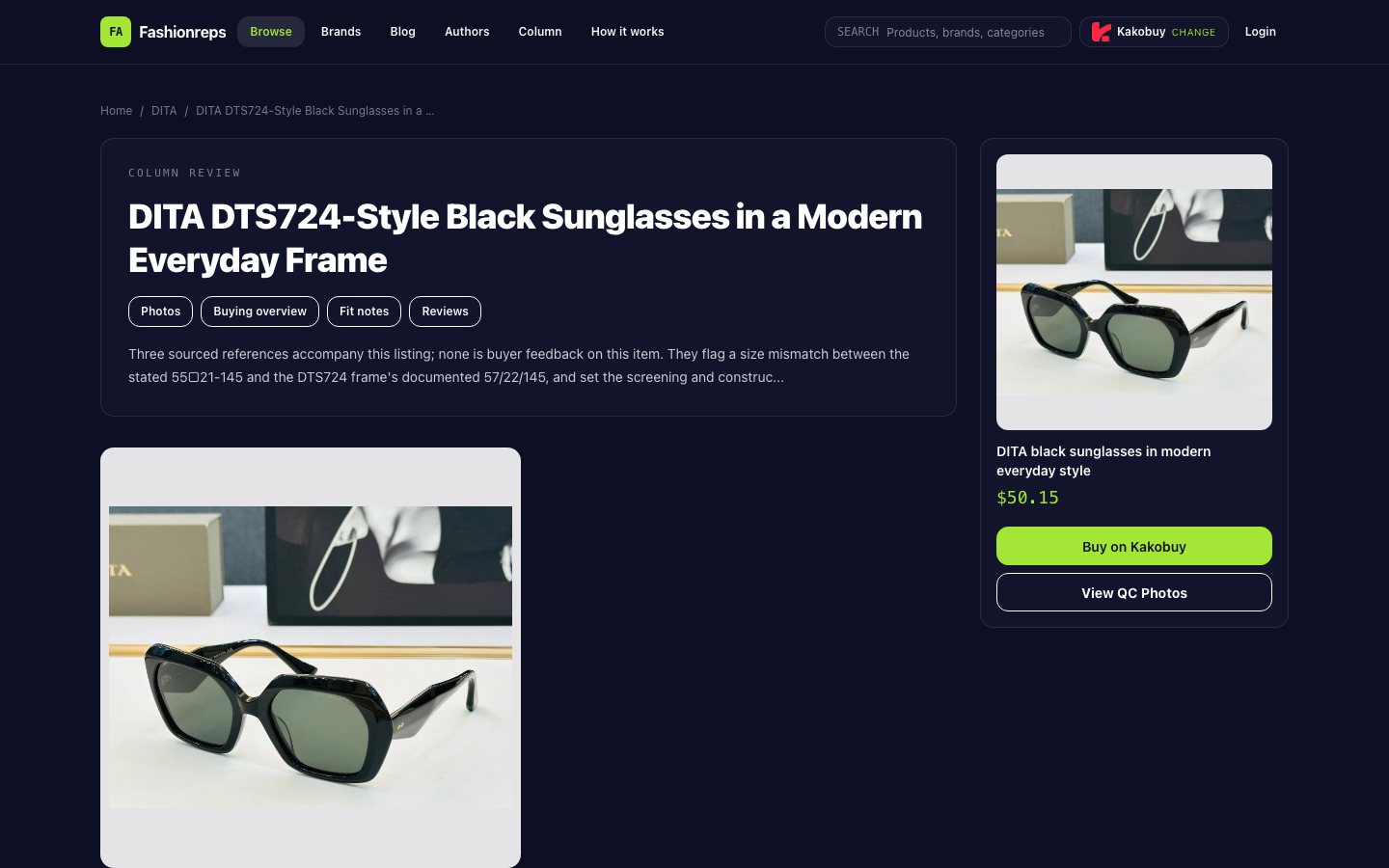
The product reference material indicates the page describes it as black, Dita Omsoana-style glasses, but the listed 55□21-145 doesn't match the 57mm lens, 22mm bridge, 145mm temple in the DTS724 reference. So when encountering color or QC mismatches, you should also verify the model and actual dimensions, not just rely on the model as proof of the variant.
What Evidence to Save After Ordering
Before contacting your shopping agent or platform support, save complete evidence from the same order, not just one partial screenshot:
- Product title and product number.
- Frame color, lens color, or lens type shown on the product page.
- Full options when selecting the variant, and what is displayed in the cart after submission.
- Product name, variant fields, quantity, and order number on the order page.
- QC photo timestamp, photo number, and all angles, especially front, side, inside temple, and close-up of lenses.
- Size, model, and price information shown on the product or order page.
- Original communication records with the seller or shopping agent.
Don't crop images, cover text, or rename files first. Original screenshots help support staff determine whether the issue occurred on the product page, during order submission, or at warehouse inspection.
Compare Item by Item in Four Locations
1. Product Page Variant
Reopen the product page and confirm whether the color option is actually selected, not just looking at the main image. Record the exact wording of frame color and lens field; if the page only has images without clear text, mark it as "unable to confirm" and don't assign black, brown, or clear lenses to an option yourself.
Also record the product number, model, and size. The product reference explicitly warns that the 55□21-145 listed doesn't match the dimensions in the DTS724 reference, and the actual lens and bridge width need confirmation from the seller.
2. Cart Display
Compare the variant in the cart word-for-word with your selection on the product page, focusing on whether any of these occur:
- Color field is empty or reverts to default.
- Frame color is retained, but lens field disappears.
- Product title looks the same, but product number is different.
- Cart image doesn't match the selected color.
If the cart doesn't clearly show the variant, don't pay yet. Save consecutive screenshots of the product page and cart to prove whether your selection was carried into the order.
3. Order Record
Before payment, the order record should at least confirm product number, variant, and quantity. If the order shows only a generic title and you can't confirm frame or lens options, don't use the product page main image as a substitute for order content.
If already paid, first check whether the order status and notes retain the selection information. Don't assume the warehouse received the correct color just because the order status changed.
4. QC Photos
Look for directly observable clues in QC photos: overall frame color, lens brightness or tone, temple shape, hinge position, inner engravings, and lens edges. Lighting, reflections, and white balance can alter color perception, so don't draw conclusions from a single front photo.
If photos don't capture lens color, inner temples, or full frame, that means insufficient evidence, not that the color is correct. The product reference recommends checking weight and balance, edge neatness, hinge looseness or noise, excess glue around lenses, and lens cloudiness or waves; these are visible items to check upon arrival or during QC, but they don't replace variant confirmation.
How to Submit a Help Request When It Still Doesn't Match
Submit one complete request through the official support channel provided by the order page or shopping agent, focusing on one order and one product. It's recommended to explain in this order:
- Order number, product number, and order time.
- The frame color, lens field, model, and size you selected.
- What the product page, cart, order record, and QC photos each show.
- Which specific item doesn't match, e.g., "Order says black frame, but QC photo cannot confirm frame color."
- What you need them to confirm: correct variant, actual frame color, actual lens color, product number consistency, and whether they can retake specific angles.
- If an error is confirmed, ask them to explain feasible correction, return/exchange, or shipping stop options.
You can explicitly request retakes of front, left and right sides, inner temple engravings, and lens close-ups, but don't phrase it as "please prove it's authentic." The existing reference only states the product is factory-surplus stock and uses the construction specs as a checking baseline; it cannot prove the received item is authorized channel stock or authentic.
When to Stop Payment or Shipping
If any of the following occurs, pause subsequent actions and wait for written confirmation:
- Color or lens fields on the product page, cart, and order record contradict each other.
- QC photo cannot confirm frame color, and support cannot confirm the corresponding product number.
- Product page has no clear variant information, and you can only guess color from the main image.
- Model's size doesn't match the page listing, and actual lens or bridge width is unconfirmed.
- QC photo shows lens cloudiness, obvious waves, uneven frame edges, loose hinges, or excess glue, and the platform hasn't explained how to handle it.
- The other party asks you to continue paying international shipping or arrange shipment with incomplete evidence.
Before confirmation, don't treat "photos look similar" as consent to ship, and don't treat the reference price as final cost. The $50.15 in the product reference is a reference price; final product price, service fees, and international shipping need confirmation on the shopping agent's website.
Conclusion
If the product page, cart, order record, and QC photos can be matched via product number and visible details, color differences may be due to lighting or display effects, and you can proceed to verify lenses and size. If any step can't be confirmed, especially when frame color, lens field, and order record don't corroborate each other, you should pause payment or shipping, require official support to confirm the correct variant and provide necessary additional photos before deciding.
Continue reading